
Privacy and Confidential meetings
Exactly what stays on your computer, what leaves and when, and what Confidential changes.
Furrget has no account and no server of its own. Your meetings live in a folder on your computer, and nothing syncs. Some steps use services you choose; this page lists each one.
What leaves, step by step
| Step | What is sent | To |
|---|---|---|
| Recording | Nothing | Stays on your computer |
| Transcription | Nothing, when it runs on this device. Audio, only if you choose Groq | Groq, if chosen |
| Meeting title (off by default) | The first minutes of the transcript | Your engine |
| Furr’s notes | Transcript lines with times and speakers, your typed notes as guidance | Your engine |
| Checking the notes | Each point and the transcript lines around it | The checking service |
| Export | Each point and its topic, to place it; Furr’s checked points, for the summary. Never the transcript | Checking service, your engine |
| Ask | Your question, the chat so far, and the closest quoted lines | Checking service, your engine |
“Your engine” is the AI you chose in Engines and keys, such as Claude Code or Codex. An engine that runs on your computer, through a localhost endpoint, sends nothing out.
Your consent
Nothing is sent until you agree to where it goes:
- Notes: Always, after every meeting or Ask me each time, plus the list of destinations you agreed to. A new engine or checking service asks again.
- Export uses the same list as notes, and asks with Review and allow if something is missing.
- Ask keeps its own list.
- Transcription: choosing Groq is your agreement to send audio to Groq.
Confidential meetings
Mark a meeting Confidential when it must not leave your computer:
- In the meeting header, choose Mark as Confidential. This can’t be undone. Parts already sent to Groq stay under Groq’s policy.
- Or choose Record · Confidential when Furrget offers to record a meeting.
- To make it the default, turn on Mark new meetings Confidential in Settings › Transcription.
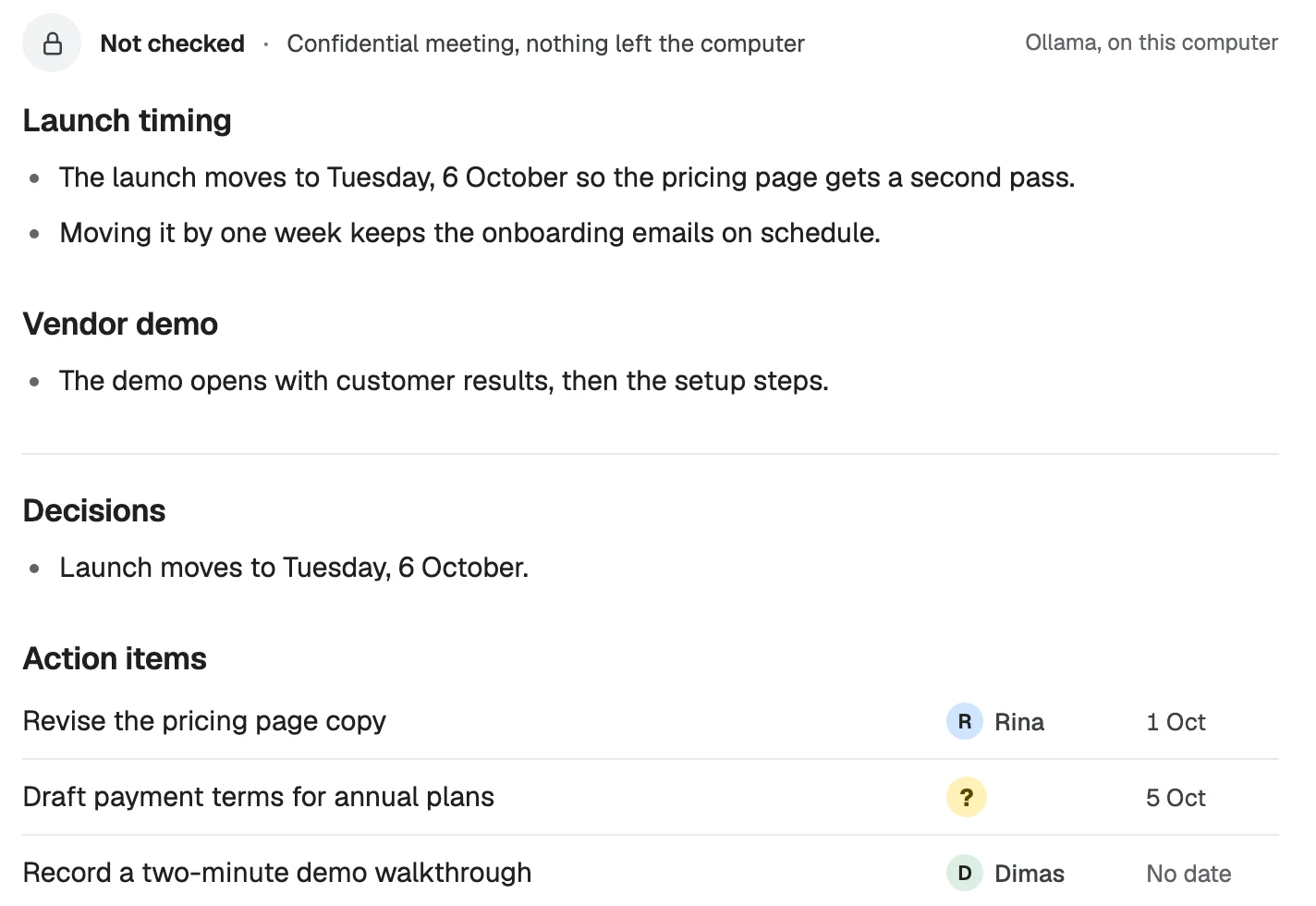
For a Confidential meeting:
- Transcription runs on your computer only.
- No automatic title.
- Notes are written only when you ask, by an engine on your computer, and nothing goes to the checking service, so they show as Not checked.
- Export sends nothing to the checking service and writes the summary only with an engine on your computer.
- Ask leaves the meeting out unless the engine runs on your computer.
If you mark a meeting while its notes are being written by a cloud engine, that job stops and is queued again on your computer.
Where your data is
Everything is in one folder:
- macOS:
~/Library/Application Support/Furrget - Windows:
%LOCALAPPDATA%\Furrget
It holds your recordings, transcripts, notes, minutes, templates and settings. Keys are stored encrypted. Settings › General › Storage shows how much space Furrget uses and can free some up.